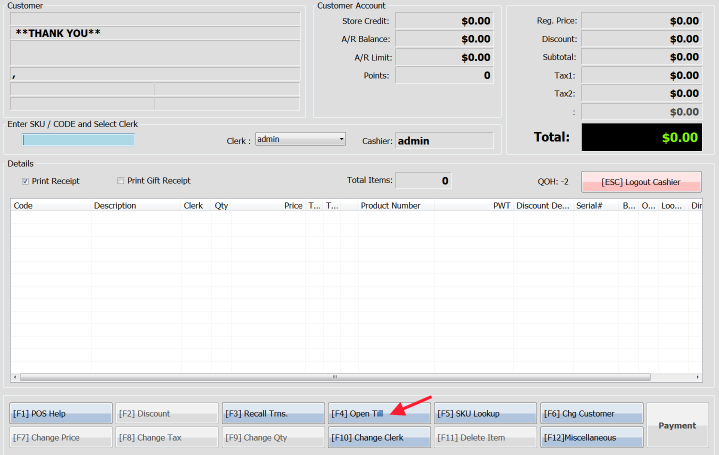
From the transaction screen, press F4 or use the  button at the bottom of the screen to open the till. This function will open the till without printing out a receipt.
Article written with AmberPOS version 4.14.05.05
Updated
From the transaction screen, press F4 or use the button at the bottom of the screen to open the till. This function will open the till without printing out a receipt.
Article written with AmberPOS version 4.14.05.05
Updated